A Better Contact Sheet Workflow for Lightroom Users
Keep editing in Lightroom. Use PicSheet when you need fast, branded contact sheets with clean layouts, film style grids and professional PDF outputs.
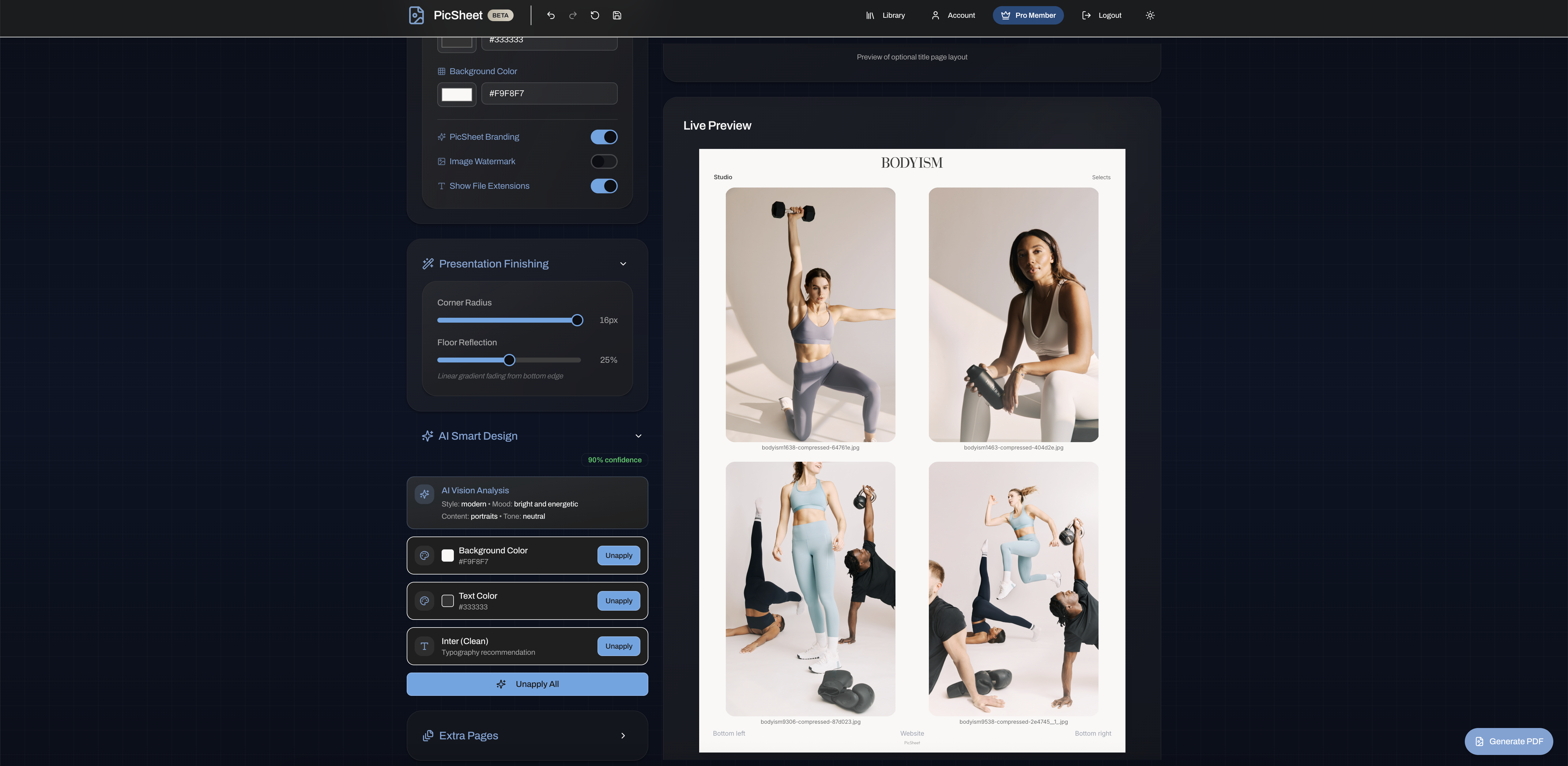
Where Lightroom's Workflow Ends and PicSheet Begins
Lightroom is the industry standard for editing and organising images, and it excels at developing RAW files and managing large libraries. Its contact sheet tools sit inside the Print module, which is designed first and foremost for print based layouts.
For photographers who need quick, branded digital contact sheets, that workflow can feel more involved than necessary. PicSheet does not replace Lightroom. It simply provides a streamlined way to turn your exported images into clean, branded contact sheets with minimal setup.
A Seamless Lightroom × PicSheet Workflow
PicSheet fits naturally into the way photographers already work in Lightroom. Lightroom handles the edit. PicSheet handles the presentation and selection.
Lightroom workflow – editing stage
- •Import RAW images from your camera
- •Apply a rough grade and overall adjustments
- •Create a first round of selects
- •Export low resolution JPEGs for review
PicSheet workflow – presentation and selection stage
- •Upload your low res JPEG selects to PicSheet
- •Choose a clean, branded grid layout with real time preview
- •Add your logo, colours and typography
- •Share a review link or export a PDF for your client
- •Use the client's chosen filenames to bring final selects back into Lightroom for finishing
Edit in Lightroom. Present in PicSheet. Finalise in Lightroom again – a simple loop for professional workflows.
Film Style and Editorial Layouts Without Template Building
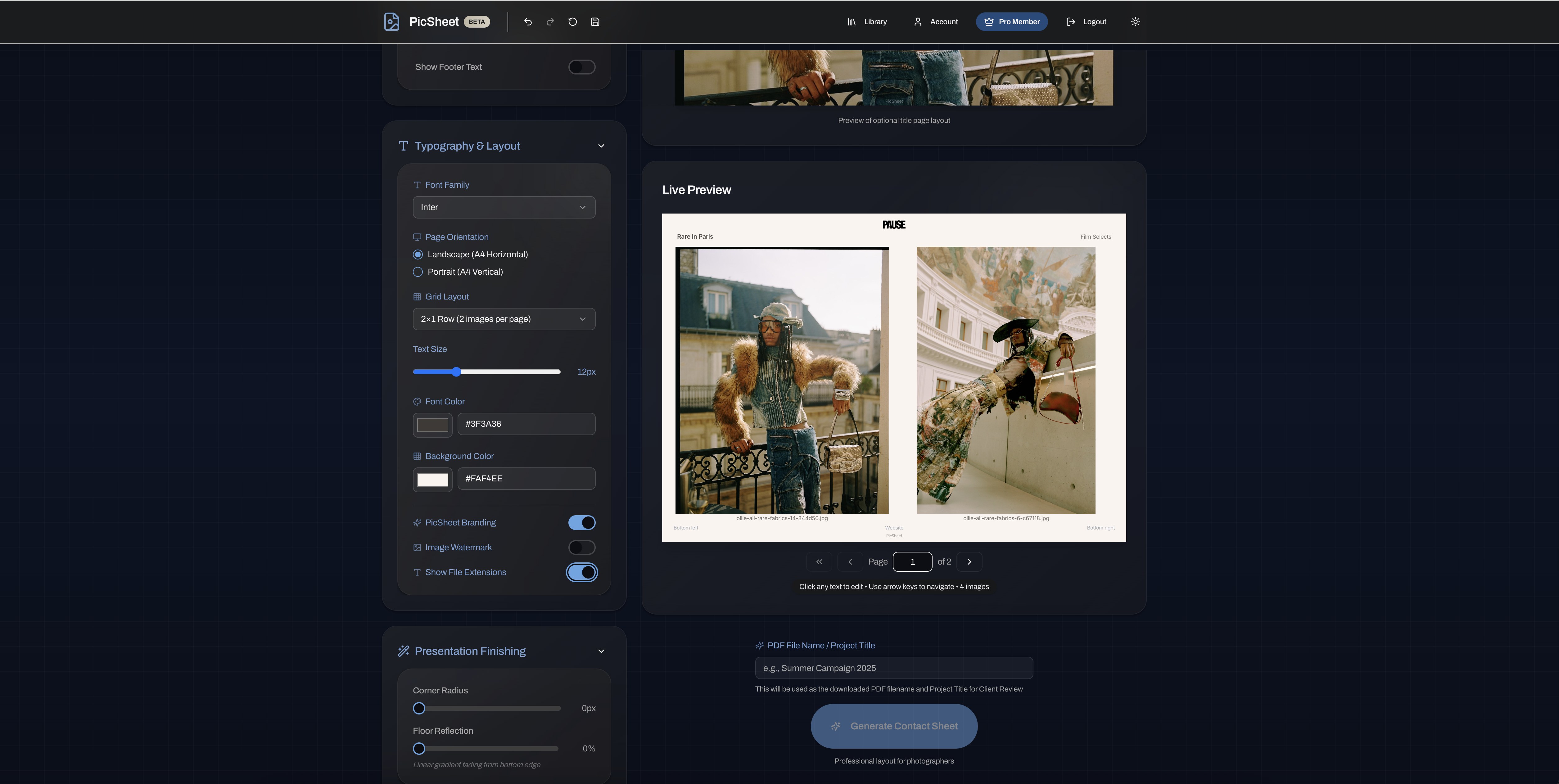
PicSheet includes ready made layouts inspired by classic film contact sheets and modern editorial design. You can choose tighter grids for quick overviews or more spacious layouts when you want each image to breathe. Images flow automatically into balanced grids, so you do not have to adjust margins or build templates from scratch. Try our contact sheet maker to see the available options.
Client Friendly Review Links
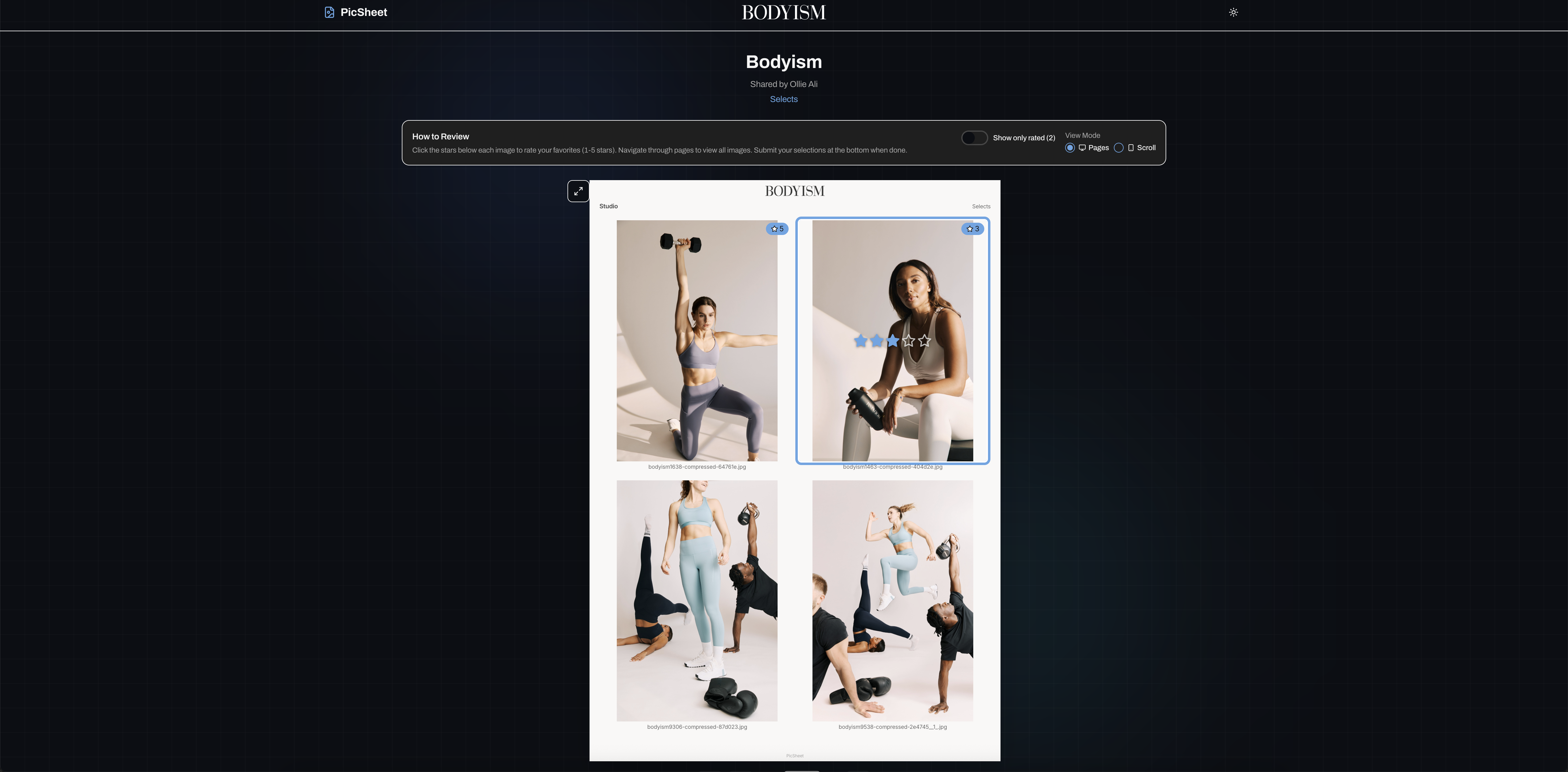
PDFs remain a dependable way to share contact sheets. PicSheet enhances this by offering an optional online review link, allowing clients to mark favourites directly in their browser and return a clear selection list. It complements your existing Lightroom workflow with a smoother selection step. Learn more about our online photo selection tool.
Works With Your Existing Editing Tools
PicSheet works alongside Lightroom, Capture One and other editors. Export your images as JPEGs and turn them into branded contact sheets in minutes.
PicSheet works seamlessly with images exported from Lightroom, Capture One or any editing software, so you can keep using the tools you already know.
How It Works
Export From Your Editor
Import RAW images into Lightroom, apply a rough grade, create your first selects and export low resolution JPEGs for review.
Upload and Share With PicSheet
Upload those JPEGs to PicSheet, choose a layout, add your branding and share a review link or PDF contact sheet with your client.
Finalise in Lightroom
Use the client's selected filenames to filter those images in Lightroom, apply final edits and deliver the finished files.